Budgeting
We understand the role a budget plays in church finances, and for many churches it is a bylaw requirement. We offer two ways to get your budget into QuickBooks Online so your monthly reporting can compare your giving and expenses to the budget you created.
Option 1: Enter it yourself in Books (included)
You build the budget your own way, then enter it in the Budget page in Books. There is no spreadsheet to download and no formulas to break.
- Confirm your categories. First you confirm that your list of budget categories is complete and accurate for the year. If something is off, choose “I need changes” and our team updates your chart of accounts and emails you when it’s ready. If you need categories changed after you’ve started entering amounts, you’ll start over. The page lets you download what you’ve entered first, and we keep a backup on our side.
- Enter your amounts. Type an annual amount beside each category. Income and expenses are grouped, with running totals for income, expenses and net. Your work saves as you go, and you can come back to it.
- Submit. Review the total, then submit. Our team loads it into QuickBooks and your monthly reporting package will compare your actuals to the budget.
- Keep a copy. Past budgets stay available in Books, and you can download any of them as a PDF.
Option 1 comes at no cost beyond your monthly subscription, and includes up to 5 chart of accounts changes. Anything over 5 involves an additional fee because of the complexity of updating all the connected software.
Option 2: Use our team budgeting tool (additional $500; included for RemoteXP churches)
This is for churches where several people own parts of the budget. Instead of one person entering everything, each person budgets their own piece and leadership approves it.
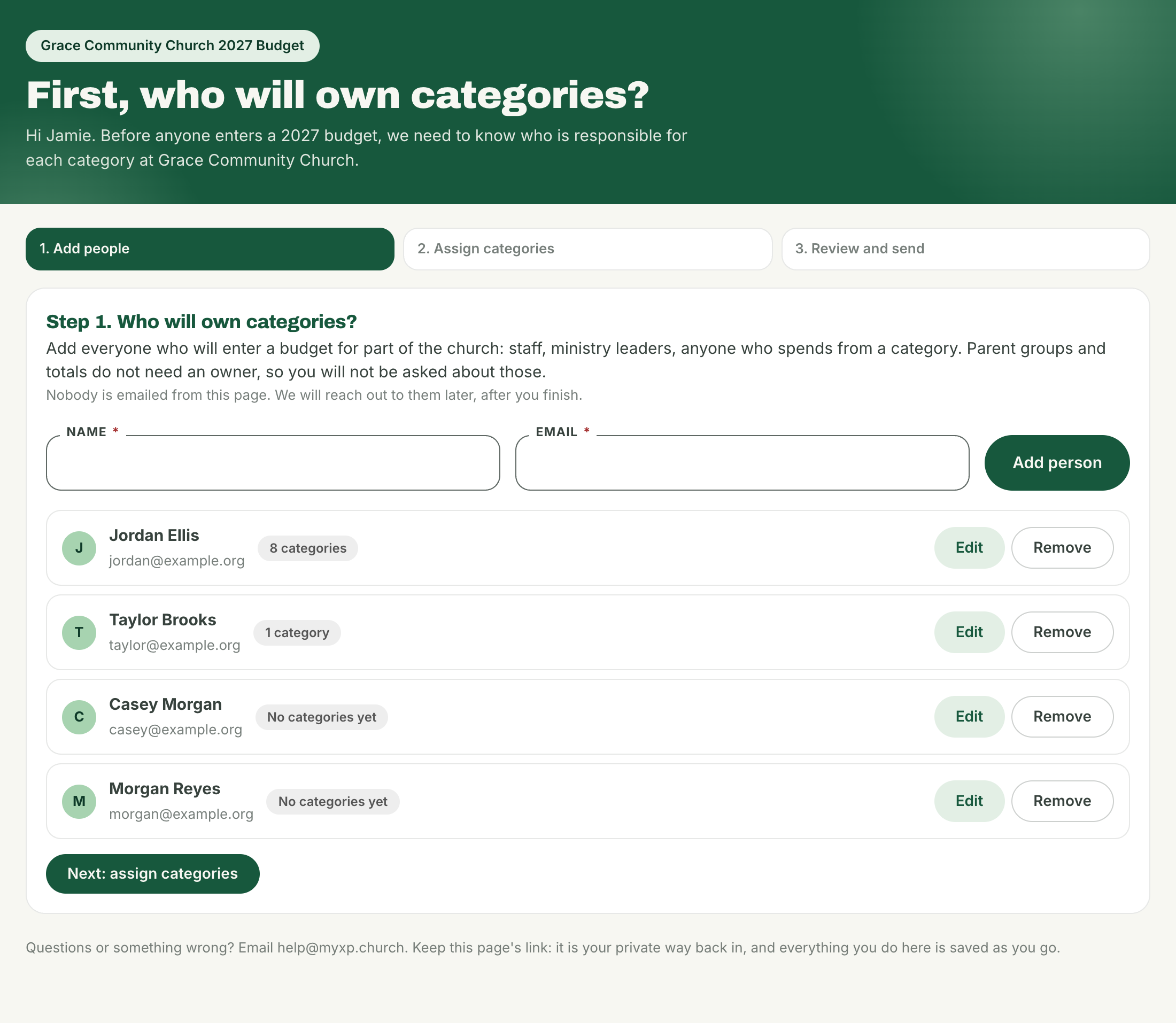
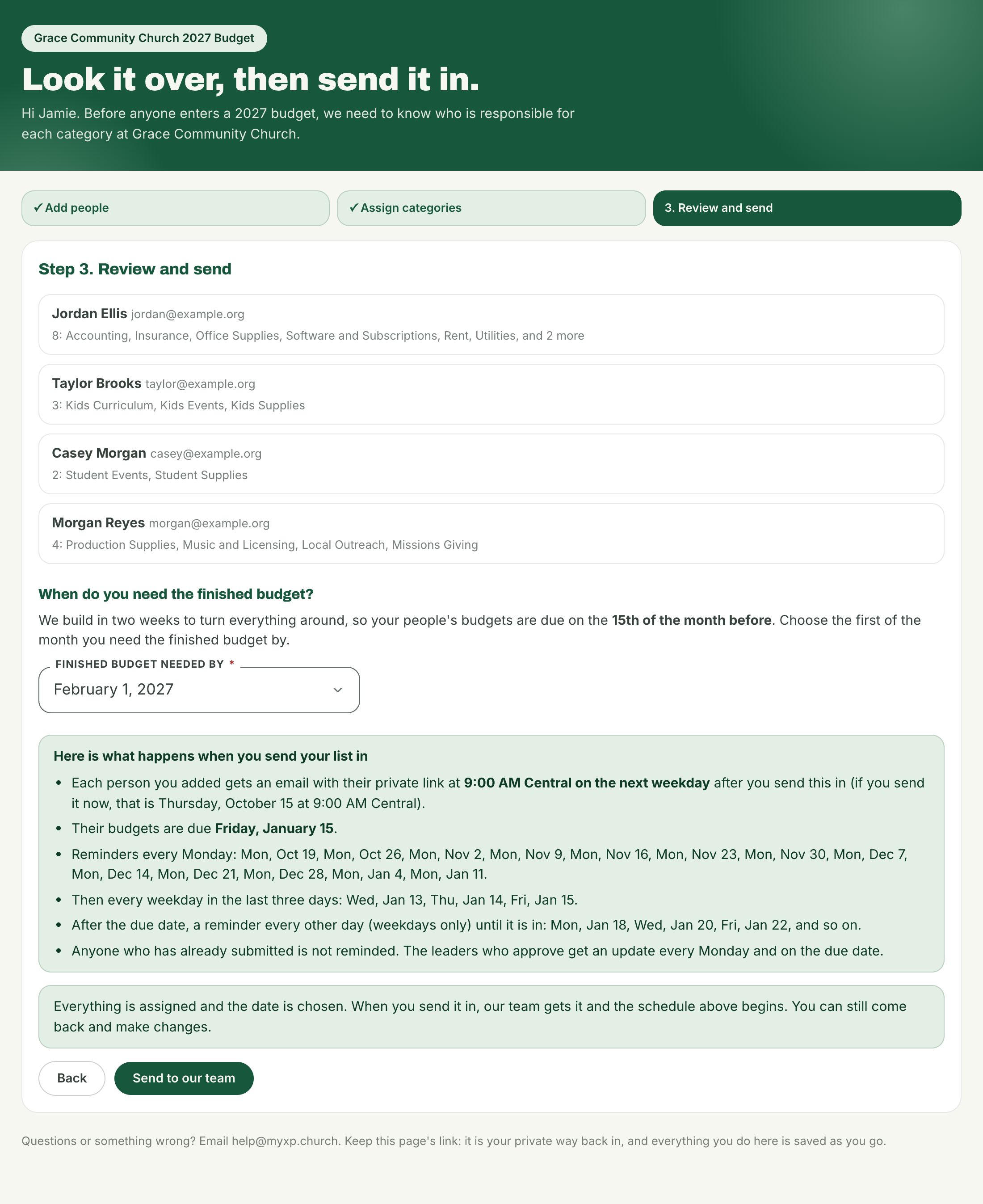
- Set up (about 10 minutes, one person). A contact at your church lists who will budget, assigns every category an owner (or marks it “no budget needed”), and picks the month the finished budget is needed. Staff are due on the 15th of the month before, which gives us time to turn it around.
- We load your numbers. We pull your last 12 months of actuals and your current budget from QuickBooks, so everyone sees real context.
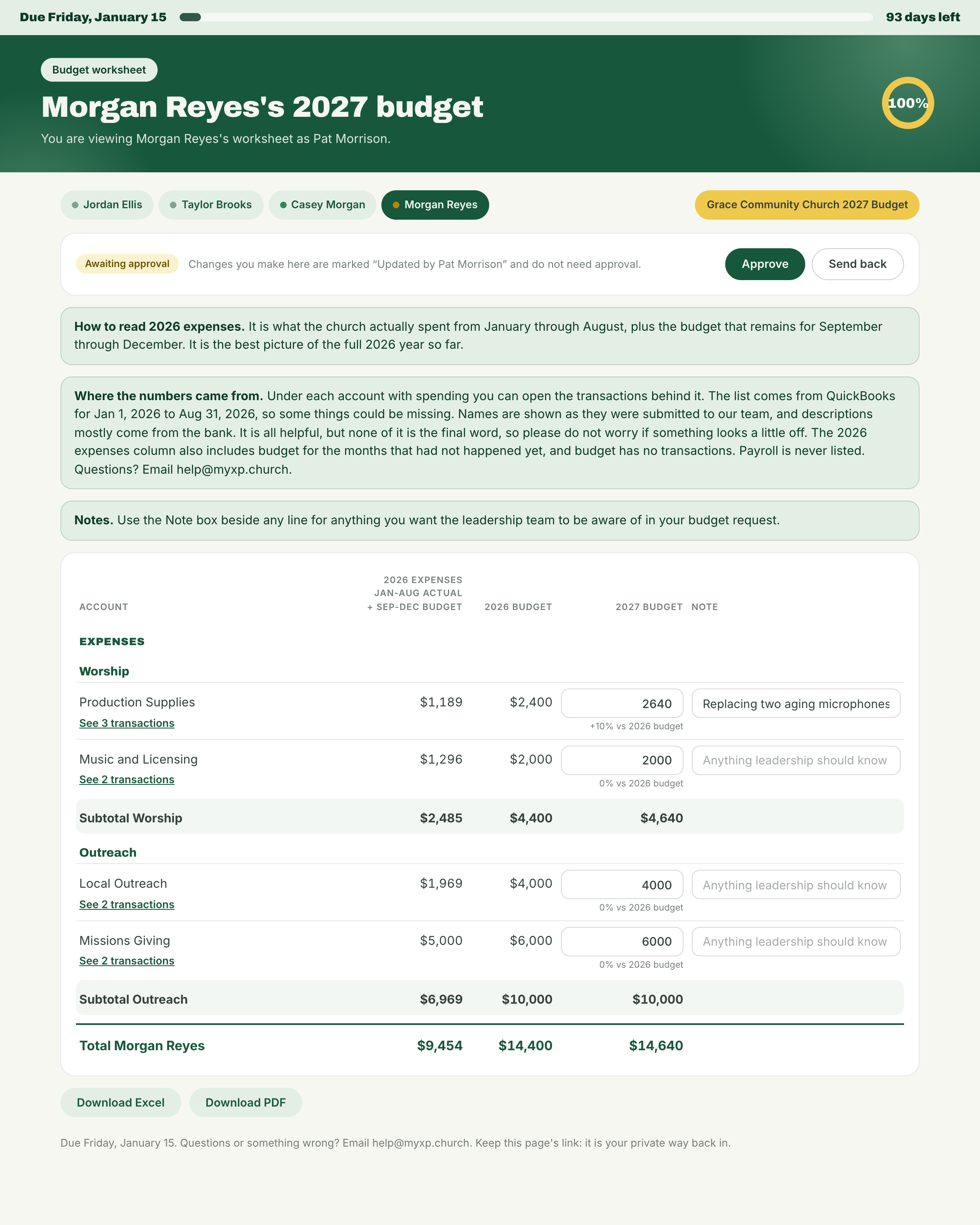
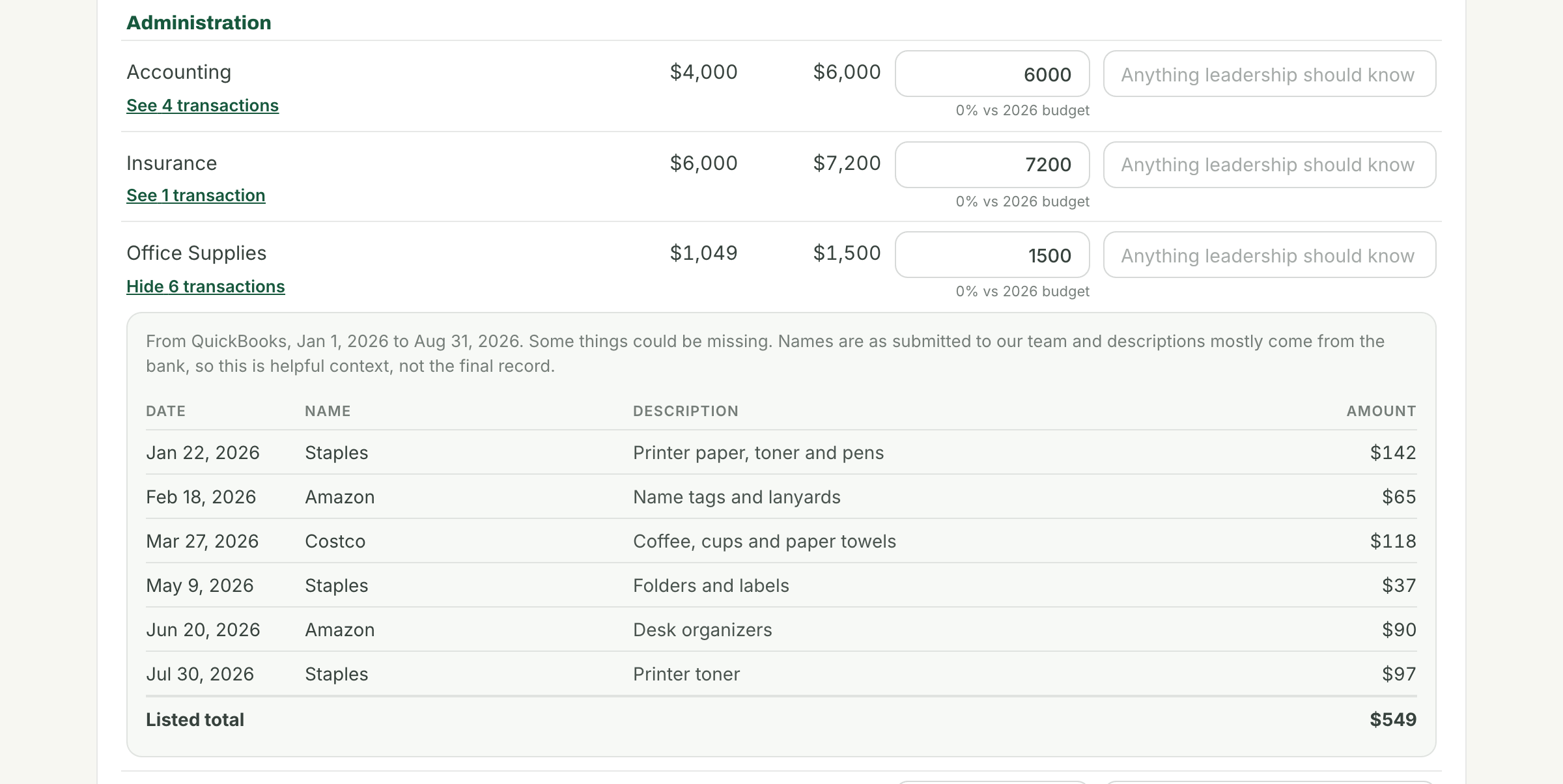
- Each person gets a private link. No account and no password. It shows only their categories, with actuals and current budget beside the box where they enter next year’s number, plus a note box for leadership. Where available, they can also open the QuickBooks transactions behind each actual. These are meant as helpful context, not the final record, and payroll is never listed.
- Approval. Your approvers review each worksheet, adjust a number if needed (changes are marked with their name), or send it back.
- We keep it moving. Reminders go out automatically, and leaders get a weekly update.
- The finished budget. When everything is approved you get a saved copy to download as Excel or PDF, and our team loads the approved budget into QuickBooks for you.
We’d want to start about seven weeks before you need the budget. To get started, email help@myxp.church.
Budget Tool